Any TUI,
on your phone.
Bridge any TUI application to a mobile-friendly web terminal. No port forwarding, no central server, no network configuration.
$curl -fsSL https://tui-bridge.vercel.app/install | bashthen:$tui-bridge opencode$irm https://tui-bridge.vercel.app/install.ps1 | iexthen:$tui-bridge opencode$npm i -g tui-bridge@latestthen:$tui-bridge opencodeThree steps. No config.
The TUI runs in a local PTY; a Quick Tunnel exposes an HTTPS URL; you scan a QR and drive the same terminal from your phone.
your terminal ──► tui-bridge ──► node-pty ──► <any TUI: opencode, htop, lazygit…>
                       │
                       └──► localhost HTTP/WS └──► cloudflared quick tunnel ──► mobile xterm.js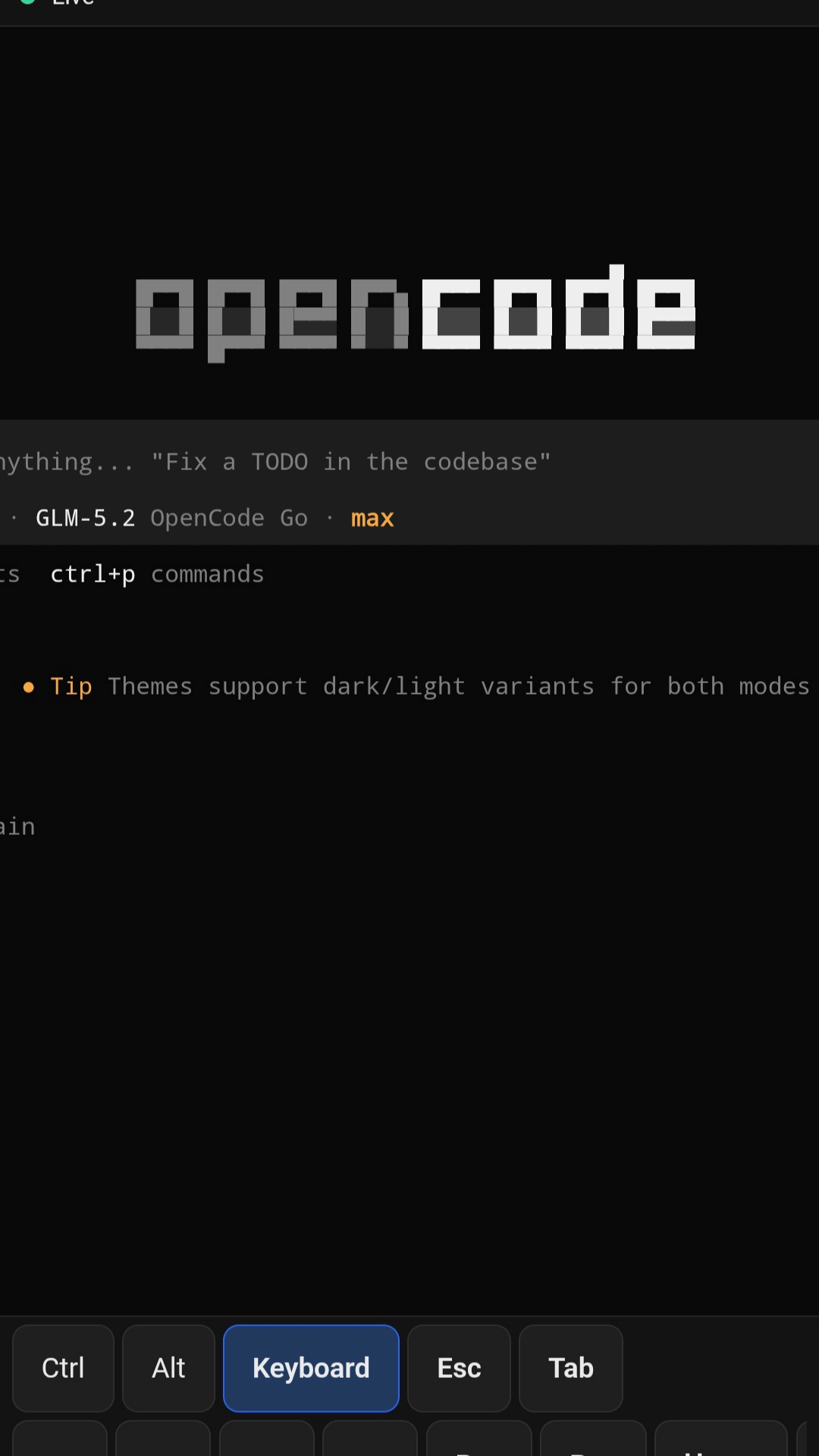
Built for terminal people
Everything you need to reach a TUI from your phone, and nothing you don't.
Any TUI, anywhere
opencode, htop, lazygit, vim — if it runs in a terminal, it runs on your phone.
Pairing-token auth
A one-time token delivered via QR code. The public URL is not the secret.
Ephemeral tunnel
A Cloudflare Quick Tunnel gives you an HTTPS URL with no port forwarding.
Mobile-first controls
Ctrl, Alt, Esc, Tab, arrows and page keys as big tappable buttons.
Survives reconnects
An xterm headless mirror sends a snapshot to every reconnecting client.
Open source
MIT licensed. No central server, no account, no telemetry.
vs. the usual suspects
How tui-bridge stacks up against common ways to reach a terminal remotely.
| tui-bridge | ssh + tmux / VPN | ngrok + web terminal | |
|---|---|---|---|
| NAT / firewall traversal | Quick Tunnel | needs VPN | ngrok tunnel |
| Auth model | QR pairing token | SSH keys | URL only |
| Mobile keys (Ctrl/Alt/Tab/arrows) | toolbar | — | varies |
| Account required | none | none | ngrok account |
| Reconnect snapshot | headless mirror | session lost | — |
| Setup time | ~60s | long | medium |
Reach your terminal from anywhere
Couch coding
Step away without losing your session. Keep an editor or REPL open on the desktop and drive it from the sofa.
Long builds on the move
Kick off a test suite or migration, then leave. Reconnect from your phone to inspect output the moment it finishes.
Headless monitoring
Run htop, lazydocker, or a log tailer on a box with no display. Check in from anywhere by scanning a QR.
Questions
Which TUIs work?+
Anything that runs in a terminal: opencode, htop, lazygit, vim, btop, mc and more. If it speaks to a PTY, tui-bridge can mirror it.
Is it secure?+
The public URL is not the secret. A one-time QR carries a pairing token in the URL fragment — never sent to the server or Cloudflare. It is single-use with a 5-minute expiry, and session credentials are hashed and compared in constant time.
Do I need a Cloudflare account?+
No. Quick Tunnels are anonymous and ephemeral. With --lan (same WiFi) you need nothing external at all; cloudflared is only required for the public tunnel.
Does it work on Windows?+
Yes. Windows with ConPTY is the primary platform. Linux is supported; macOS is a fast-follower and currently untested.
Can multiple phones connect?+
Yes. Any authenticated client can type — there is no input lock. The desktop terminal grid is mirrored to every connected client.
Does the phone resize the terminal?+
No. The desktop is the sole authority on PTY size. The phone mirrors the grid and scrolls horizontally, so coordinate-based TUIs never break.
Is there a daemon or central server?+
No. One PTY per process, no background daemon, no account, and no telemetry. MIT licensed and fully open source.
What if the connection drops?+
A headless xterm mirror keeps the buffer. Reconnecting clients receive a fresh snapshot and continue right where the terminal left off.
Ready in 60 seconds
Install, point it at a TUI, scan the QR, and you're driving it from your phone.